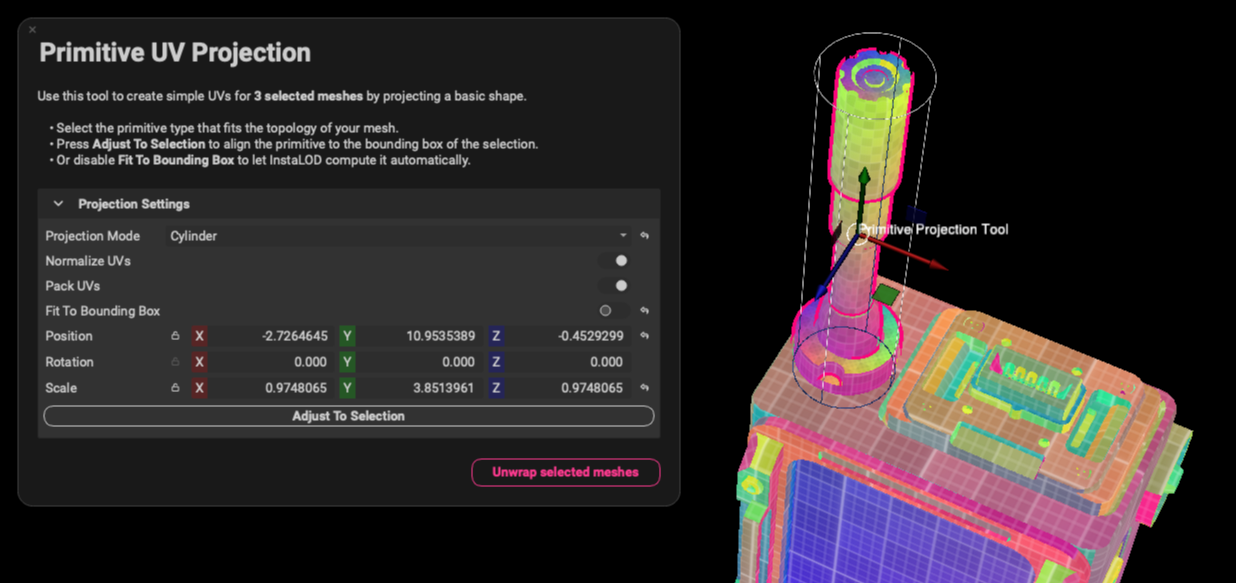
A UV map is the flat representation of the surface of a 3D model, typically used to display textures. The process of creating a UV map is called UV unwrapping and can be automated using InstaLOD. Additionally, the UV Pack mesh operation can pack the UV shells into an alternative layout without unwrapping to preserve their shell shapes. This can be done to pack them in a more efficient layout.
¶ UV Unwrap Settings
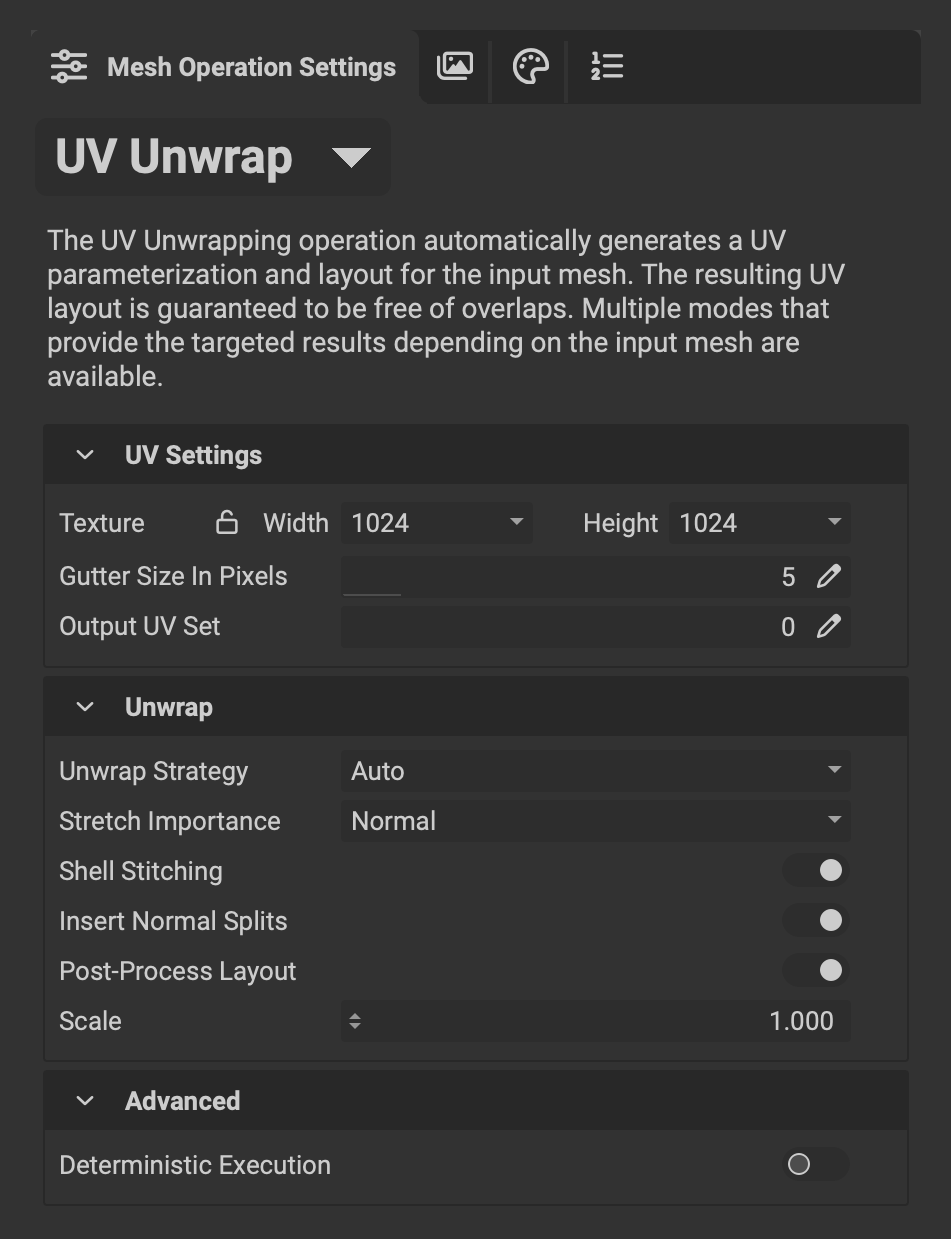 The following overviews the settings for the
 UV Unwrap mesh operation:
- Texture Width/Height: The texture size used to pack the UVs onto. This is important for the Gutter Size in Pixels to be laid out correctly.
- Gutter Size in Pixels: Determines the min distance between UV shells when packing. It can be used to remove potential mipmap bleeding.
- Output UV Set: Specifies the set in which the packed UVs are stored.
¶ Unwrap
- Stretch Importance: Changes the importance of UV shell stretching. Increasing the importance generates less warping/stretching but increases the number of UV splits.
- Insert Normal Splits: Automatically inserts a normal split where UV splits are made. This ensures that no artifacts are visible on the model where a UV split is made.
- Post-Processing-Layout: A feature that drastically reduces the number of small UV shells. This algorithm detects tiny shells and stitches them into their larger counterparts.
- Scale: Increasing the scale will scale the UVs across different UDIMS for tiling textures. Note, that the UVs are not split into individual UDIMS.
¶ Advanced
- Deterministic Execution: Makes the algorithm deterministic at the cost of speed.
¶ UV Pack Settings
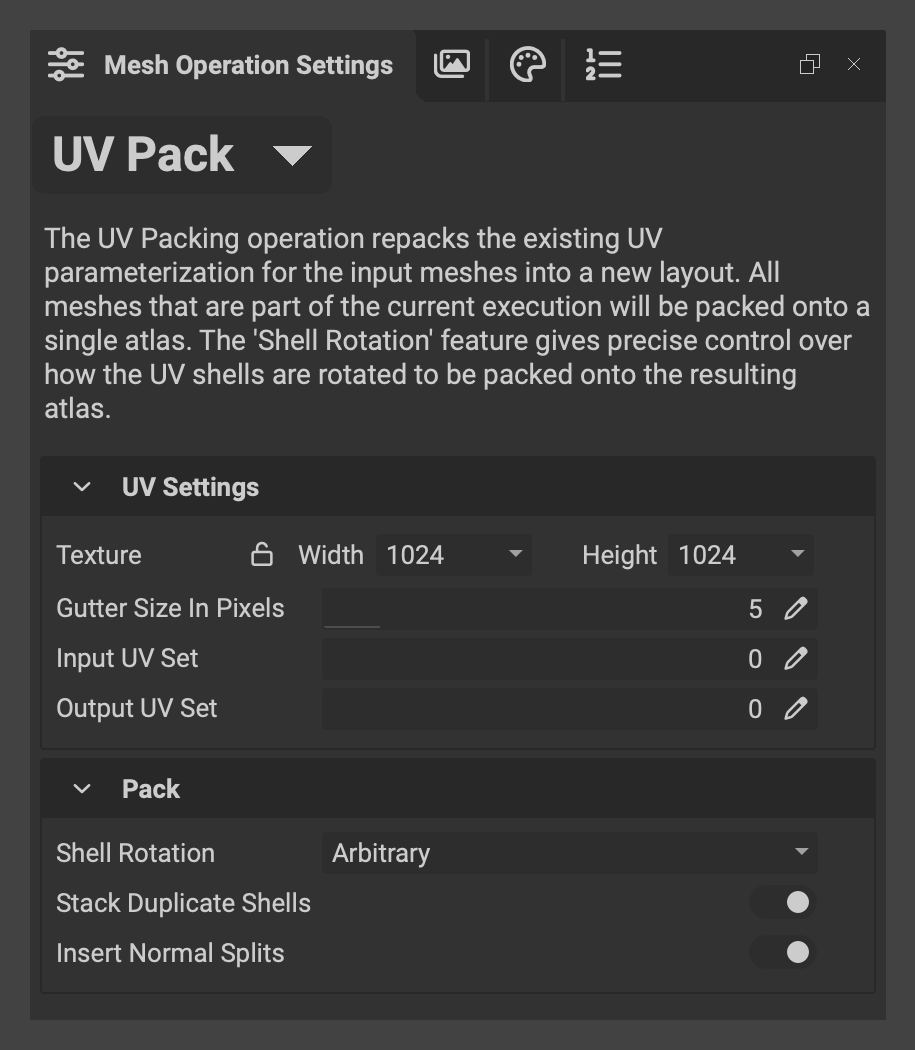 The
The UV Unwrap mesh operation automatically packs the generated UVs correctly using the internal UV packer. The UV Pack Mesh Operation can, however, be used as a standalone feature to pack existing UVs more efficiently. The following overviews the settings for the UV Pack mesh operation:
- Texture Width/Height: The texture size used to pack the UVs onto. This is important for the Gutter Size in Pixels to be laid out correctly.
- Gutter Size in Pixels: Determines the min distance between UV shells when packing. It can be used to remove potential mipmap bleeding.
- Input UV Set: Specifies the UV set from which to re-pack the UVs.
- Output UV Set: Specifies the set in which the packed UVs are stored.
¶ Pack
- Shell Rotation: Enables orientation locking or rotating of input UV shells
- Stack Duplicate Shells: If duplicate objects are available, InstaLOD is capable of stacking shells to optimize the UV space and texture usage.
- Insert Normal Splits: Automatically inserts a normal split where UV splits are made. This ensures that no artifacts are visible on the model where a UV split is made.
¶ Advanced
- Deterministic Execution: Makes the algorithm deterministic at the cost of speed.
¶ Unwrap Strategies
The Unwrap Strategies use different algorithms to optimize the layout of hardsurface and organic models.
¶ Hardsurface Axial
The Hardsurface Axial algorithm uses an axial projection and stitches individual UV shells together to generate fewer and larger patches than other software solutions, as can be seen below. This technique works very well for hard surface models that have flat surfaces pointing towards the world-space axis.
Example: Low poly cylinder - upright position.
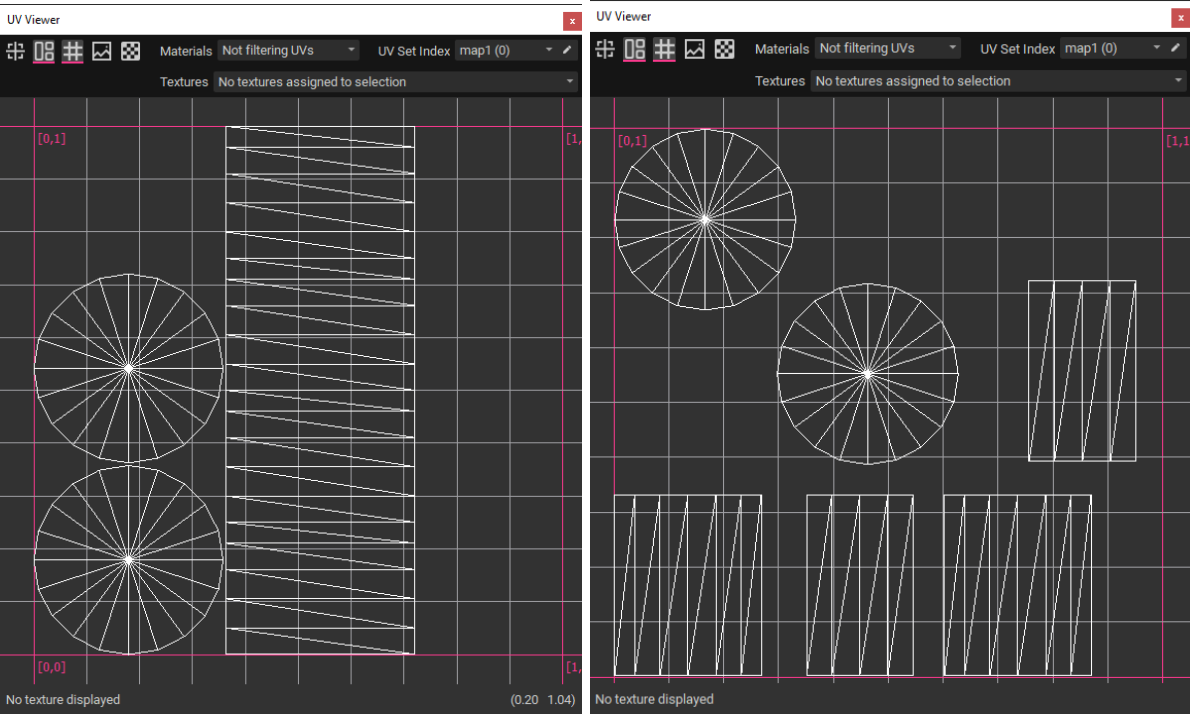
Left: Hardsurface Axial (InstaLOD) VS Right: Automatic Unwrap (Maya)
¶ Hardsurface Angle
The Hardsurface Angle algorithm evaluates the scene and projects UVs from different world-space angles. This Technique works very well for hard surface models that don't have their surfaces pointing directly towards the world-space axis.
Example: Low poly cylinder - rotated by 45 degrees.
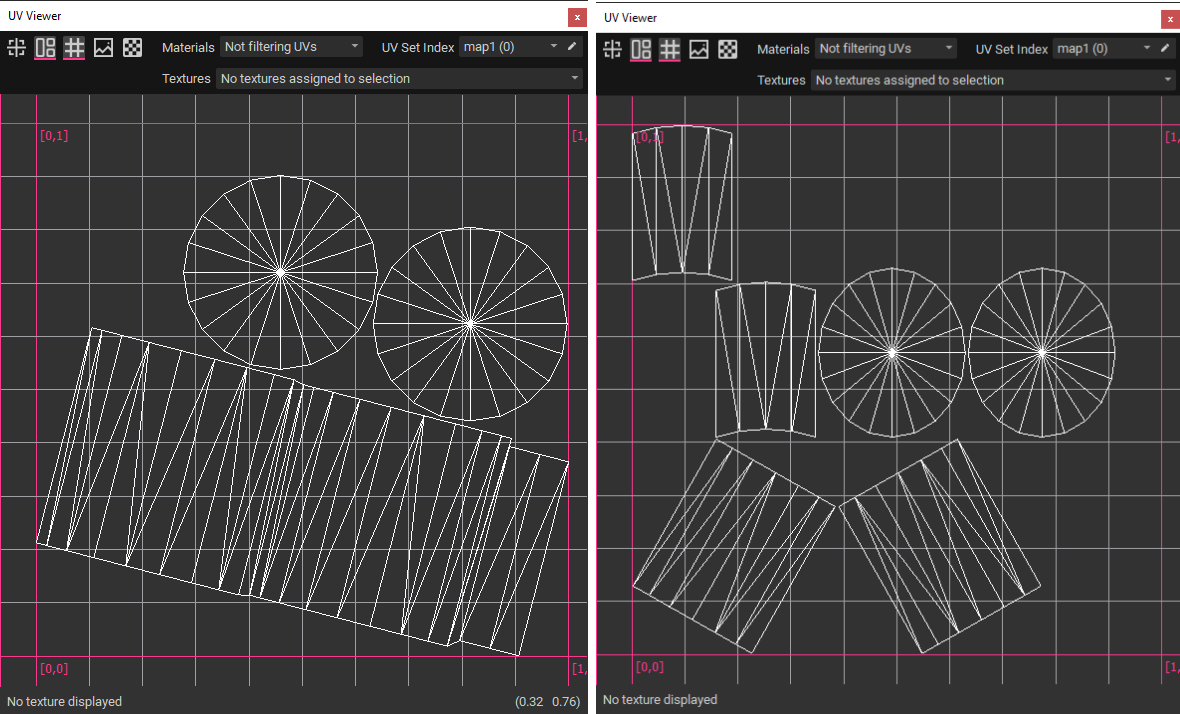
Left: Hardsurface Angle (InstaLOD) VS Right: Automatic Unwrap (Autodesk Maya)
¶ Organic
The Organic algorithm follows the edge flow of models when generating UVs to improve the unwrapping of organic models. Using the Organic mode typically generates larger and fewer UV shells than the other Unwrap Strategies.
Example: Low poly sphere
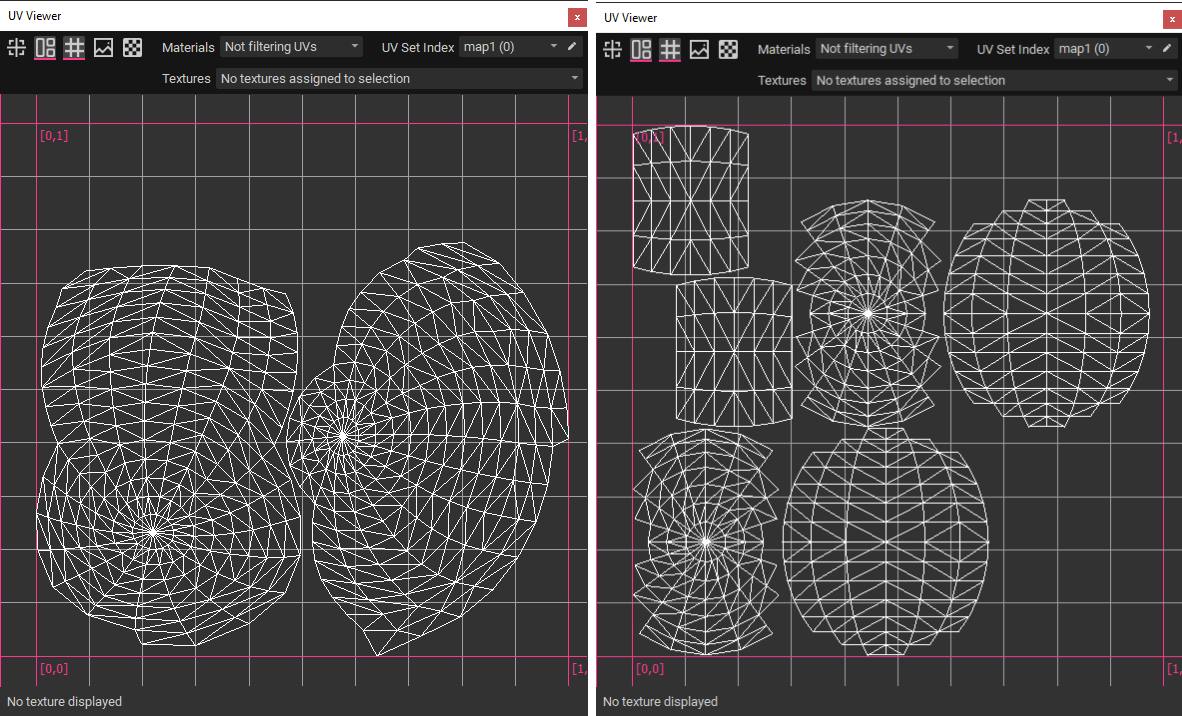
Left: Organic (InstaLOD) VS Right: Automatic Unwrap (Autodesk Maya)
¶ Automatic
The Automatic algorithm evaluates the scene and chooses which of the available algorithms (Organic, Hardsurface Axial, Hardsurface Angle) is best to apply to the scene (tendency towards Organic).
¶ Primitive Projection
The Primitive Projection algorithm allows you to choose from a selection of 3D primitives such as plane, cylinder, sphere (standard, ball, or shrinkwrap), and box. Use the Adjust To Selection button to fit the projection to the bounds of the selected objects in the scene. Alternatively, turn on Fit To Bounding Box to have InstaLOD automatically adjust the projection to the scene it is currently processing. This allows the operation to adapt automatically and creates a scalable workflow that can process thousands of meshes without changes to any settings.
Each 3D primitive can be manipulated in the 3D viewport and can be scaled, rotated, and translated to adjust the projection.
The Primitive Projection operation can be found in the UV Unwrap mesh operation, as a Scene Rule, or from the Mesh menu.